One lead record
Keep source, ownership, contact details, status, score, activity, and next action together.
- Ownership and source
- Status and stage
- Connected activity
Mortgage lead management software
Keep ownership, source, status, activity, communication, tasks, and pipeline context attached to the same lead record.
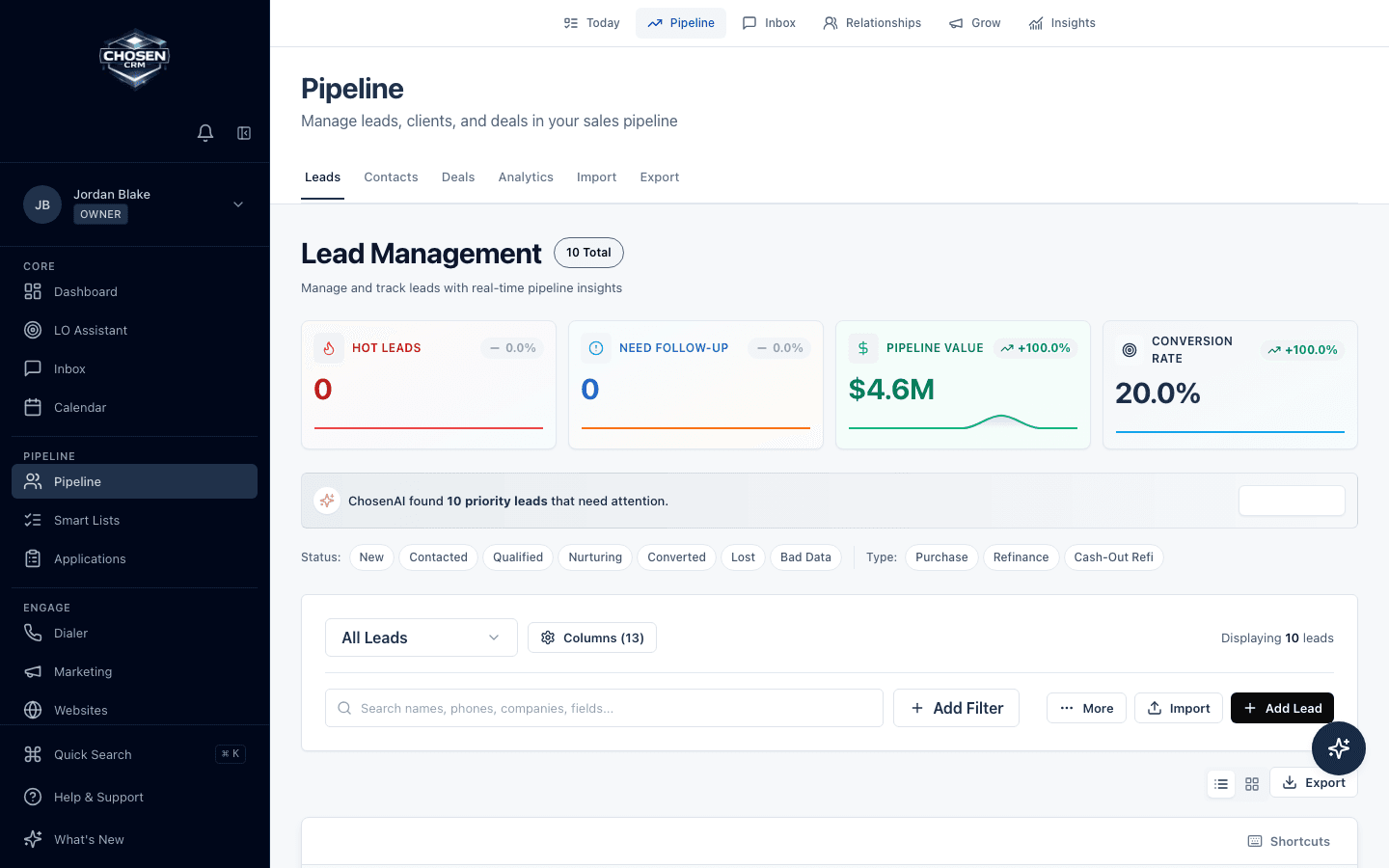
Direct answer
Mortgage lead management software organizes incoming prospects, assigns ownership, tracks contact activity, and connects each lead to follow-up and pipeline stages. ChosenCRM supports lead records, filters, scoring and routing assistance, tasks, communications, and mortgage workflow context.
Capabilities and boundaries
Each capability is described by the work it supports. Availability can vary by account and configuration.
Keep source, ownership, contact details, status, score, activity, and next action together.
Use filters, scores, and ChosenAI guidance to create a reviewable work queue.
Connect qualified work to contact, application, and sales-pipeline views without replacing the LOS.
How it works
Create the lead record from a supported source or data import.
Route work according to the team configuration and role model.
Use tasks and supported communication with the lead record in view.
Update status and connect the qualified opportunity to the mortgage pipeline.
Related mortgage workflows
FAQ
ChosenCRM lead views include identity and contact data, source, owner, status, score, activity, next actions, and mortgage-related fields. Exact fields can vary by configuration.
ChosenCRM includes lead-scoring and prioritization capabilities. A score is decision support, not a guarantee that a lead will apply or close.
ChosenCRM supports ownership, organization roles, and lead-routing workflows. Assignment logic depends on the team setup and enabled rules.
No. Lead management covers relationship and sales work before and around the loan. Formal origination remains in the LOS.
Try the workflow