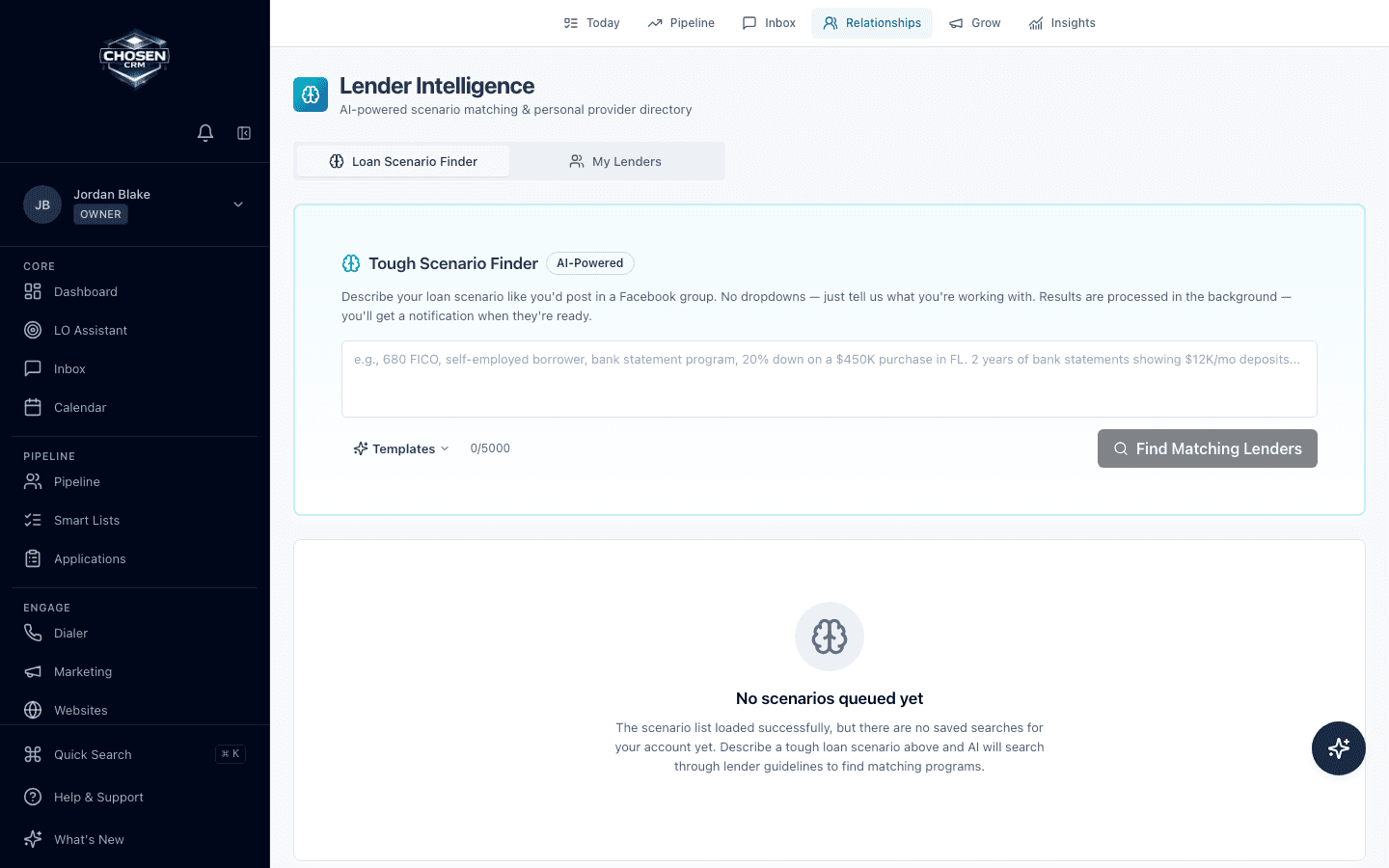
Describe the scenario
Enter relevant borrower, property, documentation, and loan details in a plain-language research request.
- Plain-language input
- Reusable templates
- Scenario context
Tough Scenario Finder
Describe the borrower and loan scenario in plain language, then review possible lender-program matches alongside your loan officer workflow.
Direct answer
The Tough Scenario Finder accepts a described mortgage scenario and searches available lender-guideline sources for possible program matches. It is a research aid, not an underwriting, approval, eligibility, or rate decision. Loan officers must verify every result against current lender documentation.
Capabilities and boundaries
Each capability is described by the work it supports. Availability can vary by account and configuration.
Enter relevant borrower, property, documentation, and loan details in a plain-language research request.
Use available lender-guideline sources to create a starting list for program research.
Check current lender documentation and apply professional judgment before presenting an option.
How it works
Provide the facts needed to make the scenario specific.
Submit the scenario against the available lender-guideline sources.
Inspect the possible programs and the context behind each result.
Confirm current eligibility, documentation, pricing, and overlays before use.
Related mortgage workflows
FAQ
No. It is a research tool for possible lender-program matches. It does not underwrite, approve, price, or guarantee eligibility for a loan.
Guideline sources and refresh timing can vary. Loan officers must verify results against the lender's current documentation and direct guidance before relying on a match.
The Lender Intelligence workspace includes personal lender-directory and saved-search concepts. Confirm current availability and account configuration during the demo.
No. It is a ChosenCRM research workflow. The LOS and lender systems remain responsible for formal application, origination, processing, and underwriting data.
Try the workflow