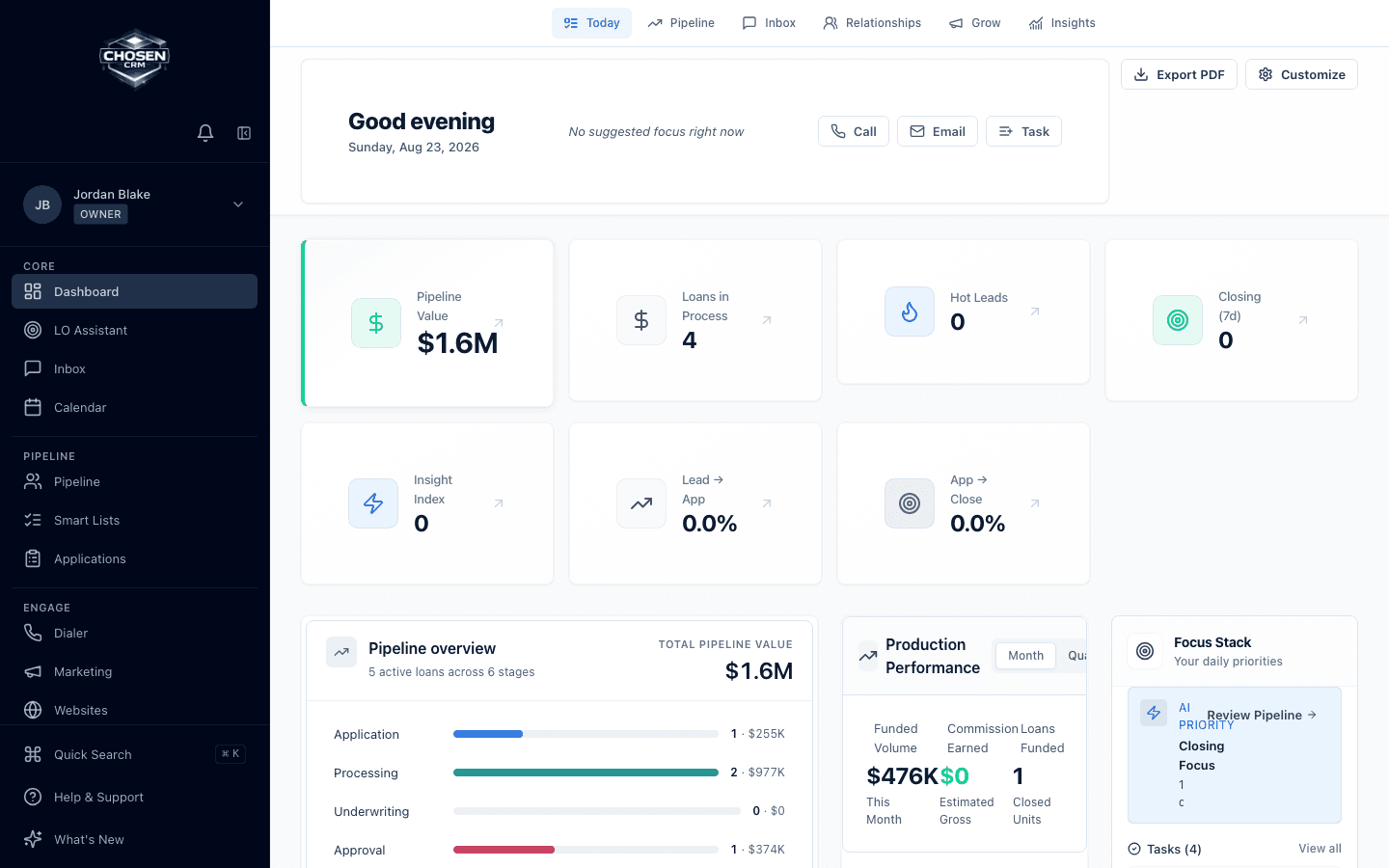
Start with the next action
Use daily priorities, tasks, and pipeline alerts to decide where attention goes first.
- Daily focus
- Task queue
- Pipeline alerts
For loan officers and MLOs
See priority leads, borrower replies, follow-up, applications, calls, and active files without rebuilding your day across separate lists.
Direct answer
A loan officer CRM connects prospect and borrower records with communication, tasks, follow-up, and sales-pipeline work. ChosenCRM adds mortgage-specific stages, applications, daily priorities, call queues, and coaching while leaving formal loan origination in the LOS.
Capabilities and boundaries
Each capability is described by the work it supports. Availability can vary by account and configuration.
Use daily priorities, tasks, and pipeline alerts to decide where attention goes first.
Connect supported email, SMS, calls, notes, and activity to the CRM record.
Move from lead follow-up to application and active-file views without treating the CRM as an LOS.
How it works
Open daily focus, tasks, and active pipeline items.
Use borrower context and supported communication tools.
Keep activity, notes, and next actions with the record.
Update the CRM stage or task while the LOS remains the origination system.
Related mortgage workflows
FAQ
ChosenCRM supports individual loan officer workflows and organization roles. The right configuration depends on who needs access, how work is assigned, and what reporting is required.
No. ChosenCRM manages relationship, communication, follow-up, task, and sales-pipeline work. The LOS remains responsible for formal loan origination and processing.
ChosenCRM includes a power-dialer workflow with call queues, click-to-call, call logging, and CRM context. Telephony availability depends on account configuration.
ChosenAI can surface daily priorities, support writing and follow-up, score or route leads, and flag pipeline items for review. Users remain responsible for decisions and outreach.
Try the workflow